

Free to make and publish
A free website for piano teachers.
Parents and adult beginners want to know who you teach, where lessons happen and when you have space. A simple page that answers those questions saves you a lot of emails.
You sign in with your email address. Publishing at a benchlight.page address is free and needs no card.
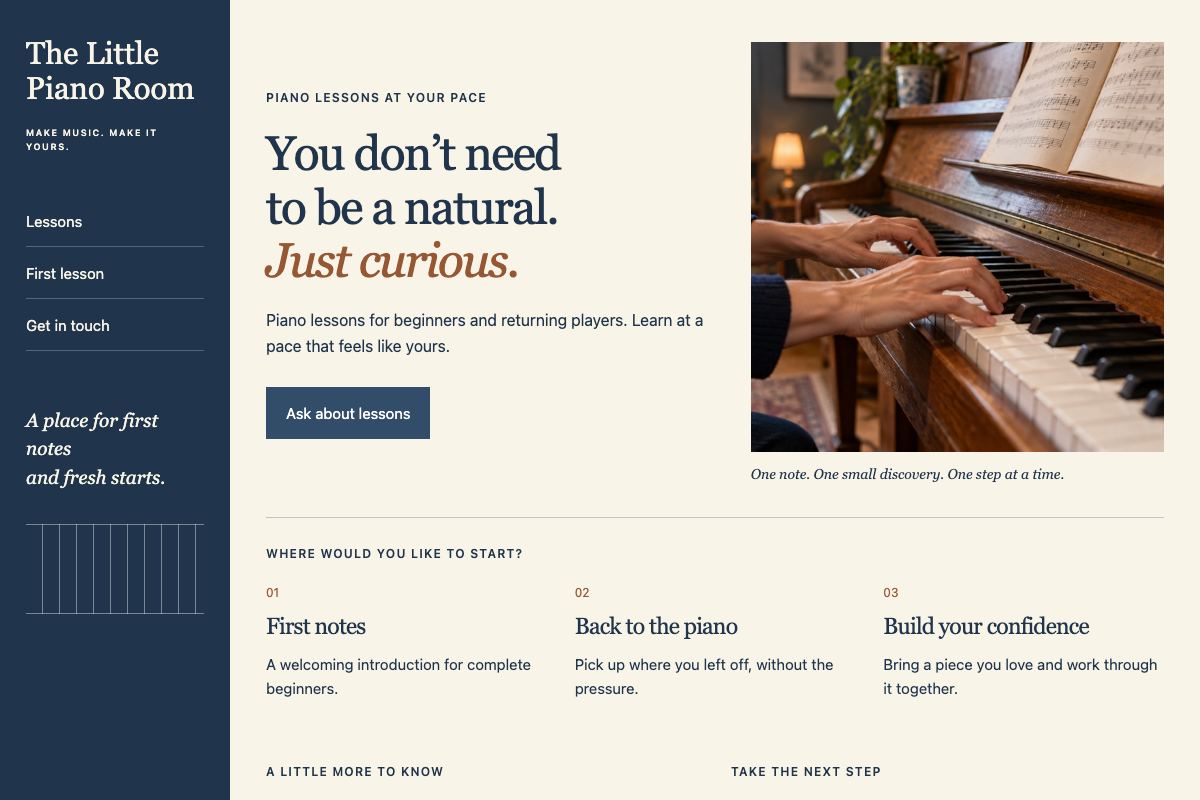
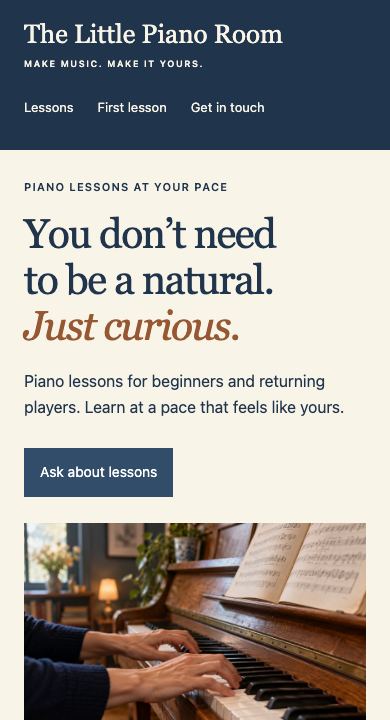
What a piano teacher’s website needs.
Keep it to one page. These are the things people look for before they get in touch.
Who you teach
Children, teens, adult beginners, people coming back to the piano. Say which ages and levels you take.
Where lessons happen
Your studio, the student’s home, online or a mix.
When you teach
Weekday afternoons, Saturday mornings. Say when you usually have space.
How you teach
A few lines on your background and what a first lesson is like.
Exams and recitals
If you prepare students for exams or hold a recital each year, say so.
How to start
Ask people to tell you the student’s age, experience and the times that suit them.
Ask Claude, or fill in the starter.
Use whichever is easier. Both save a private draft in your Benchlight account that you can preview and change before anyone sees it.
Ask Claude
Example requestUse Benchlight to make a one-page website for my piano lessons, The Little Piano Room. I teach beginners of all ages and adults coming back to the piano, at my home studio or online. Lessons are on weekday afternoons and Saturday mornings. Ask people to call me with the student’s age, experience and the times that suit them. My number is (555) 010-0118.
Add Benchlight to Claude from its connector directory first. Claude asks you to sign in to Benchlight the first time.
Or use the starter on Benchlight
- Business or website name
- The Little Piano Room
- Headline
- You don’t need to be a natural. Just curious.
- About your business
- Piano lessons for beginners of all ages and adults coming back to the piano. Lessons run on weekday afternoons and Saturday mornings, at my home studio or online.
- Services
- First lessons for beginners
- Lessons for returning adults
- Online lessons
- Help with exams
- Phone number
- (555) 010-0118
The starter asks for these details and makes a one‑page site from them. Put in your own.
From draft to a live website.
Make your draft
Ask Claude or fill in the starter. The draft stays private to your account.
Check the preview
Look at it on your phone, fix anything that’s wrong and save a new version.
Publish free
On the draft’s page, choose Publish free. Your site goes live at a free benchlight.page address, with a small Made with Benchlight credit at the bottom.
Each account has one free site, and you can publish newer versions of your draft to it. When you want your own web address, choose Get or use your own domain on the same page. That moves the site to Benchlight hosting, a paid plan, and you see the options before you pick one.
What these sites don’t do
Benchlight sites don’t take bookings or payments. Families call or email you to arrange lessons, the way most teachers already work. They’re web pages with phone and email links, without contact forms, customer accounts or a store.
Start your piano teaching website.
It takes a few minutes, and nothing goes live until you publish it.