

STATIC SITE MOVE GUIDE
Move your site.
Start with the supported files, review a private preview, then decide whether to change your live site.
This guide covers a narrow import: plain HTML, CSS and assets without scripts, already committed to GitHub and published on Netlify without a build command. You need to own or manage the site and have permission to use its text and media.
Check what needs to move.
List your pages, images, links and contact destinations. Check whether you also rely on forms, a shop, member login, a database, functions, redirects or provider settings. The built-file import does not transfer those services. Keep your current provider if your site needs features that have not been accepted for your move.
Connect and select the source.
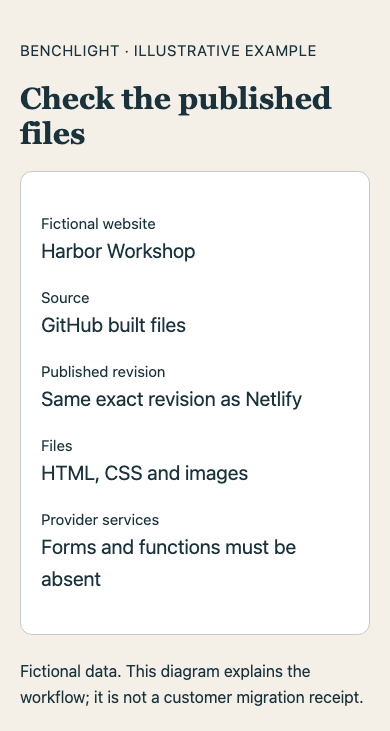
In your Benchlight workspace, open Connections, connect the Netlify and GitHub accounts that own the site, and select the Netlify site. Choose Import built files from GitHub. Benchlight checks the exact published revision and its complete file inventory; this route does not execute your source code or run a build.
The published files must match the committed files. A missing file, an unsupported feature or evidence that changes during the check can stop the import. Netlify settings and services stay with Netlify.
Review the private site.
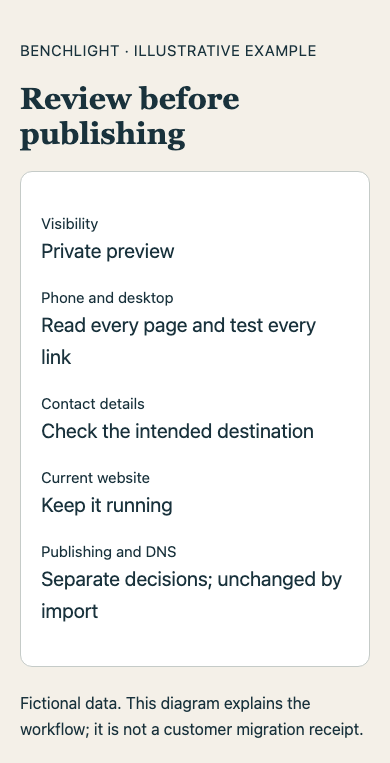
Choose or create the destination website, confirm your authorization to use the static files, and create a private preview. Check every page, link, image and contact destination on a phone and a desktop. An import creates a preview; it does not change DNS, publish your site or buy hosting.
Decide before changing the live site.
Keep the original site available while reviewing the preview. Confirm the supported scope, current hosting terms and any separate domain steps before deciding to publish. Do not cancel the old provider or change email DNS just because an import succeeded. Use the website and email move checklist when planning your domain steps.
If the import is refused.
A refusal can mean the published files are incomplete, the provider evidence does not match, or the site uses an unsupported service. Keep your current site running. If you already have a built static ZIP, ask Benchlight to assess the supported file-upload route; a ZIP does not transfer WordPress, a shop, logins or server-side features.
Check your static ZIP.
- Keep a copy of the original archive and include the finished HTML pages, CSS and assets with working relative paths.
- Leave out passwords, environment files, source repositories, databases and private customer exports.
- Check that images and page links work from the built files. Note forms, logins, checkout, redirects and other provider services separately.
- Keep the original service active until the supported scope and private preview are accepted.
Start with a check.
For an existing-site redesign, request a free suitability check with your current website, goals and permission to assess it. A suitability request is not a completed rebuild, a fixed quote or a promise of automatic migration.